EgbertoWillies.com

Political involvement should be a requirement for citizenship

  • Home
    • Homepage
    • Login
    • About Us
    • Bio
    • Research
      • BallotPedia
      • Bureau of Labor Statistics
      • CallMyCongress
      • LegiScan
      • OpenSecrets.org
      • Texas Legislature Online
      • US Dept; Of Health & Human Services
      • US Dept. of Labor
      • VoteSmart
    • Contact Us
    • Disclaimer
    • Privacy Policy
  • Shows
    • Live TV
    • Move to Amend Reports
    • Politics Done Right
  • Books
  • Articles
    • AlterNet
    • CNN iReports
    • CommonDreams
    • DailyKos
    • Medium
    • OpEdNews
    • Substack
  • Activism
    • Battleground Texas
    • Coffee Party
    • Move To Amend
    • OccupyMovement
  • Social
    • BlueSky
    • Facebook
    • Instagram
    • Pinterest
    • Tumblr
    • Twitter
    • YouTube
  • Sections
    • Environment
    • Food And Cooking
    • Health
    • Local News
    • Odd News
    • People Making A Difference
    • Political
    • Reviews
      • Book Reviews
      • Books I Recommend
      • Product Reviews
    • Sports
    • Substack Notes
  • Donate
  • Store

Adobe Flash not working in Internet Explorer 11 (IE 11) and Windows 8.1

December 19, 2013 By Egberto Willies

10% Discount Coupon Code: POLITICSDONERIGHT

Adobe Flash Player IE 11 Internet Explorer 11 Windows 8.1

Adobe Flash Video Not Working Internet Explorer 11 – Windows 8.1(IE 11)

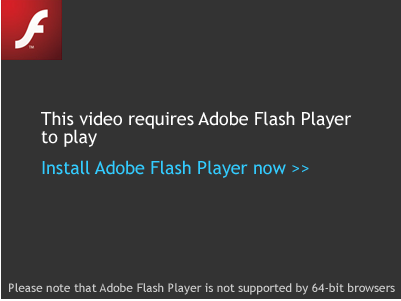
After upgrading from Windows 8 to Windows 8.1 my Adobe flash video no longer worked. It was as if the Adobe flash player that play flash videos was not installed on the computer. Whenever I went to a website I would get the message “This video required Adobe Flash Player to play. Install Adobe Flash Player now >>”.

After checking the Internet Options in Internet Explorer 11 (IE 11) and making sure all settings were correct flash videos still did not work. It should  be noted that the Shockwave plugins were enabled and the appropriate protections set.

After scouring the Internet I found the solution. Here it is.

Let’s turn off and turn on Internet Explorer and check if it resolves the issue:
a. Press “Windows key +W”.
b. Type “Turn Windows features on or off” in the search box.
c. Select “Turn Windows feature on or off” option from the left panel.
d. Uncheck “Internet Explorer 11” option from the list and click “Ok”.
e. Restart the computer.
f. Open “Turn windows features on or off” then check the box next to “Internet Explorer 11” option to install it.

[source]

Hope that helps. I have been searching for the fix of the Adobe flash video problem for weeks. I tried many different procedures from Adobe and Microsoft websites. This fix to the flash video problem under Windows 8.1 and Internet Explorer 11 (IE 11) after an upgrade from Windows 8 should be helpful. If this adobe flash video fix does not work for you, please drop me a line if you fine another solution and I will add to the post.



LIKE My Facebook Page – Visit My Blog: EgbertoWillies.com
Follow @EgbertoWillies

Share this:

  • Share on Facebook (Opens in new window) Facebook
  • Share on LinkedIn (Opens in new window) LinkedIn
  • Share on Reddit (Opens in new window) Reddit
  • Share on X (Opens in new window) X
  • Share on Tumblr (Opens in new window) Tumblr
  • Share on Pinterest (Opens in new window) Pinterest
  • Share on WhatsApp (Opens in new window) WhatsApp
  • Email a link to a friend (Opens in new window) Email
  • Share on Mastodon (Opens in new window) Mastodon
  • Share on Nextdoor (Opens in new window) Nextdoor
  • Share on Telegram (Opens in new window) Telegram

Like this:

Like Loading…

Support Our Politics Done Right Store

Filed Under: General Tagged With: Adobe Flash Player, Flash, IE 11, Internet Explorer 11, Windows 8, Windows 8.1

About Egberto Willies

Egberto Willies is a political activist, author, political blogger, radio show host, business owner, software developer, web designer, and mechanical engineer in Kingwood, TX. He is an ardent Liberal that believes tolerance is essential. His favorite phrase is “political involvement should be a requirement for citizenship”. Willies is currently a contributing editor to DailyKos, OpEdNews, and several other Progressive sites. He was a frequent contributor to HuffPost Live. He won the 2nd CNN iReport Spirit Award and was the Pundit of the Week.

10% Discount Coupon Code: POLITICSDONERIGHT

Follow Us

  • Facebook
  • X
  • YouTube
  • Instagram
  • Pinterest
  • Tumblr
  • LinkedIn

Politic Done Right


Support Independent Media


Mastodon

RSS Feed

  • RSS - Posts
%d